“What Is the Best Switching Power Supply in 2026?” has no single answer for every project. The right choice depends on load, input voltage, installation space, cooling, and operating conditions. A compact adapter may suit a desk device, while an industrial control cabinet needs a supply built for sustained use and electrical noise. Small details matter. A warm enclosure, loose terminal, or unexpected startup surge can change a promising choice into a poor fit. Specifications deserve close reading, not just a glance at the wattage.
Power-electronics expert Robert W. Erickson, co-author of Fundamentals of Power Electronics, describes the field this way: “Power electronics is the technology associated with the efficient conversion, control, and conditioning of electric power.” That definition helps frame this guide. A Switching Power Supply should be judged by how reliably it delivers suitable power in its actual application—not by a ranking alone. We will compare key criteria such as output regulation, efficiency, protection features, thermal performance, and documentation. We will also distinguish published ratings from conditions a buyer should verify, including ambient temperature and mounting clearance. There is a limitation here: product specifications do not reveal every behavior in a real installation. A careful shortlist still needs application-specific checks. No shortcut.
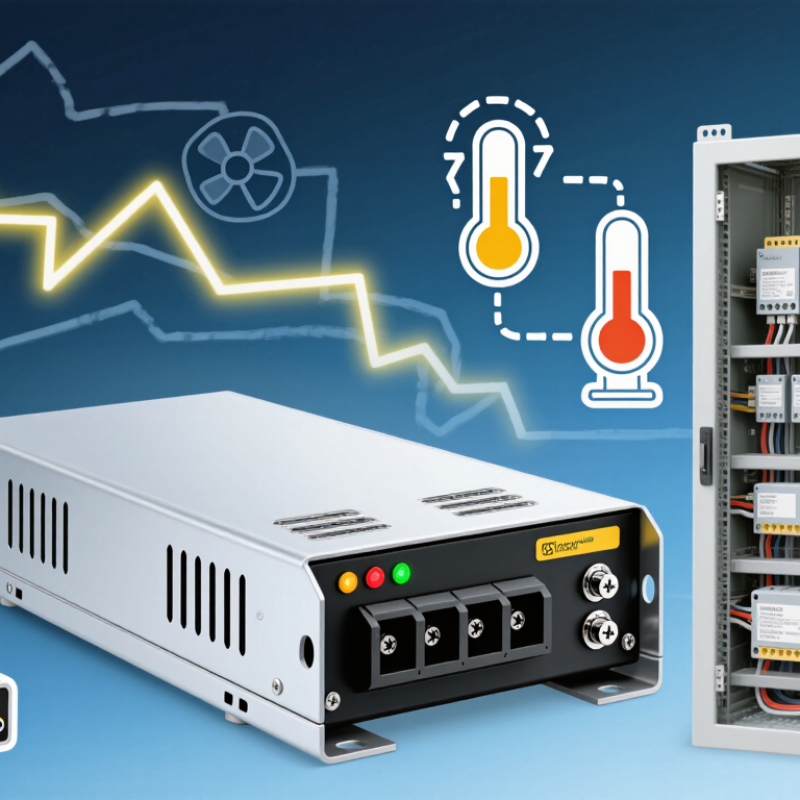
How Switching Power Supplies Convert AC Input into Regulated DC Output
A switching power supply turns wall AC into stable DC through a sequence of controlled steps. The input passes through a filter that limits electrical noise, then a rectifier converts it into pulsating DC. A large capacitor smooths that voltage. Next, switching transistors rapidly turn the current on and off, creating high-frequency energy. A transformer can adjust the voltage and provide isolation. On the output side, rectifiers and capacitors smooth the energy into usable DC. That is the basic path.
A feedback circuit continually checks the output and adjusts switching to keep voltage steady as the load changes. When comparing supplies in 2026, look beyond the headline efficiency figure. Check output ripple, transient response, temperature limits, and derating guidance in the datasheet. A supply mounted in a warm, cramped enclosure may perform differently from one tested on an open bench. Small details matter. A clean laboratory reading can also hide noise or voltage dips in a real installation, so the connected equipment and wiring deserve attention. The “best” choice depends on the required voltage, current, environment, and safety needs.
FAQS
A filter reduces electrical noise, and a rectifier changes AC into pulsating DC. A capacitor smooths the voltage. Switching transistors then create high-frequency energy. Output components smooth it into usable DC, while feedback adjusts switching as the load changes.
Estimate the combined needs of the graphics card, processor, and other components. Allow headroom for brief power spikes and possible upgrades. A 750-watt unit may fit one build, but not another. Online calculators are estimates; my own calculations can be imperfect, too.
Check that the supply supports ATX 3.1 if your build needs it, and confirm the cable matches the graphics card’s connection. Seat the plug fully. Check the plug. Avoid sharp bends near it, and never mix modular cables from different supply models.
Not necessarily. Higher efficiency can reduce wasted power, but it does not guarantee better voltage regulation or quieter operation. Compare the rated output, connectors, dimensions, and independent test results as well.
Check whether tests used similar input voltage, load, and measurement bandwidth. Read the stated limits and review independent bench tests when available. Probe setup can affect results. Small details matter.
Yes. A faint whine or fan hum may be noticeable near a desk, even when electrical output is clean. Listen under light and heavy loads. Listen nearby. Also check whether the fan runs continuously.
Read warranty exclusions and the replacement process, not just the warranty length. Slow service can mean extra downtime. Consider operating hours, cooling, and installation costs. A cheaper unit may cost more over time.
Not always. A warm, cramped enclosure can affect performance compared with an open test bench. Check temperature limits and derating guidance. Wiring and connected equipment matter, too. A clean laboratory reading may not reveal every voltage dip in a real system.
Conclusion
Choosing the best Switching Power Supply in 2026 starts with understanding how it converts incoming AC electricity into stable, regulated DC power for a computer’s components. An 80 PLUS Gold rating generally indicates about 90% efficiency at 50% load under the applicable test conditions, helping reduce wasted energy and heat. To select the right unit, estimate system power needs with suitable headroom, then check compatibility with ATX 3.1 and any graphics card’s 12V-2x6 power requirements.
Efficiency alone does not determine quality. Compare protections such as over-voltage, over-current, short-circuit, and over-temperature safeguards, and look for evidence of relevant IEC 62368-1 safety testing. Also consider measured voltage ripple, fan noise, warranty coverage, and price. Balancing these factors against your system’s workload and upgrade plans can help you choose a reliable, appropriately sized supply without paying for capacity or features you do not need.